
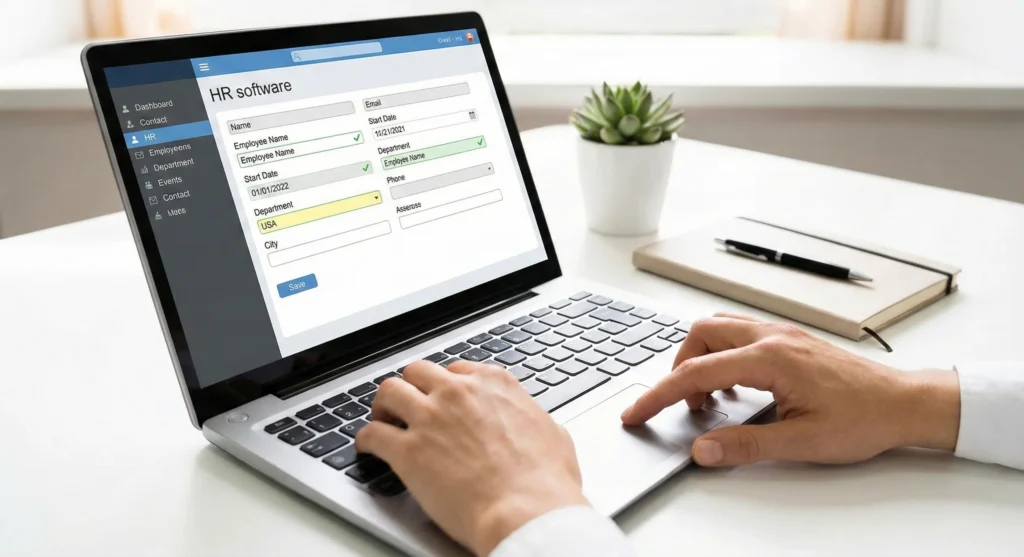
Human resources teams today juggle recruiting, onboarding, payroll, benefits, compliance, performance management, and employee relations—often with limited time and resources. HR automation helps by taking over routine, rules-based tasks so HR professionals can spend more time on strategy, culture, and people development.
This guide explains what HR automation is, its benefits, the key processes to automate, how to implement it, common challenges, best practices for success, and future trends so HR and business leaders can make informed decisions about modernizing their people operations.
What is HR Automation?
HR automation is the practice of using software and digital workflows to handle manual HR activities such as data entry, approvals, document collection, notifications, and reporting. Instead of moving forms and spreadsheets between inboxes, automation routes information through predefined steps and updates systems automatically.
Typical HR automation uses a combination of AI, workflow tools, and intelligent HCM systems that connect core HR areas, including recruiting, onboarding, payroll, timekeeping, performance, and analytics, in one place. This centralization reduces duplication, increases consistency, and makes HR processes more scalable as organizations grow.
Benefits of HR Automation

HR automation delivers measurable advantages for accuracy, speed, and employee experience when implemented thoughtfully.
1. Improved accuracy and reduced errors
Automated workflows minimize manual data entry and re-keying of information, which lowers the risk of mistakes in payroll, benefits, and employee records. Validation rules and consistent logic also help maintain clean, reliable data over time.
2. Faster completion of HR processes
Automation accelerates key workflows such as approvals, onboarding tasks, recruiting communication, and time-off requests by removing bottlenecks caused by manual routing and follow-up. This speed helps HR respond more quickly to both managers and employees.
3. Enhanced regulatory compliance
Built-in rules and configurable workflows support alignment with labor laws, tax requirements, and hiring regulations by applying standardized processes every time. Centralized, accurate records also make it easier to demonstrate compliance during audits.
4. Better employee experience and engagement
Employees benefit from faster responses, self-service access to information, and clear, consistent processes from recruitment through ongoing employment. This improved experience can positively influence engagement and retention when paired with strong HR leadership.
5. Increased visibility and data-driven decision-making
Automated reporting and analytics provide HR leaders with timely insights into metrics such as labor costs, retention, engagement indicators, and process completion rates. With more accurate data, HR can support better workforce planning and leadership decisions.
6. Support for strategic HR initiatives
By reducing time spent on manual administration, HR teams can focus more on strategic work such as talent development, culture building, and long-term workforce planning. This shift elevates HR’s role from transactional support to strategic business partner.
Key HR Processes to Automate

Many HR activities include repetitive, rules-based steps that are well suited for automation without removing necessary human judgment.
1. Applicant tracking and recruiting workflows
Recruiting involves posting jobs, screening resumes, scheduling interviews, and communicating with candidates—activities that can be standardized and automated. Tools such as recruiting software and smart sourcing solutions can help automate job postings, candidate matching, interview scheduling, and status updates while applying consistent criteria across applicants.
2. Employee onboarding procedures
Onboarding requires collecting forms, assigning tasks, notifying IT and managers, and ensuring new hires receive the information and tools they need. Automated onboarding workflows ensure each new employee follows a structured path with predefined steps, regardless of department or location, which improves consistency and readiness on day one.
3. Payroll processing and tax compliance
Payroll is highly sensitive to accuracy and regulatory requirements, making it one of the most impactful areas to automate. Automation supports gross-to-net calculations, tax withholding, multi-state rules, and direct deposit management, while centralizing employee data to reduce errors and keep pace with changing regulations.
4. Time and attendance management
Tracking hours, overtime, paid time off, and shift changes can be complex when handled manually. Automated timekeeping with digital time clocks, geofencing, shift alerts, and real-time labor visibility helps improve time and attendance accuracy and ensures payroll aligns with actual hours worked.
5. Employee data and document management
HR teams manage tax forms, contracts, certifications, policy acknowledgments, and performance documentation. Automation helps maintain organized, accurate employee files, enforce document retention rules, and reduce the risk of lost or outdated records.
6. Benefits administration
Benefits administration requires determining eligibility, handling enrollment, and answering questions while staying compliant with relevant regulations. Automation can simplify open enrollment, apply eligibility rules, use digital forms, and provide a self-guided experience for employees, reducing manual paperwork for HR.
7. Performance and talent development
Performance management often suffers when reminders and follow-up are manual. Automation can prompt employees and managers to complete reviews on schedule, align goals with organizational expectations, and track development activities over time. Talent development tools can also surface progress and gaps, enabling better coaching and planning.
8. HR reporting and analytics
HR leaders rely on accurate data to understand retention, engagement, and workforce costs. Automation can standardize data collection and generate recurring reports on schedule, reducing manual report building. This helps leaders monitor trends and measure the impact of HR programs more reliably.
Steps to Implement HR Automation

Implementing HR automation is most effective when treated as a structured, multi-step initiative rather than a one-off technology purchase.
- Assess current HR workflows and identify gaps: Start by mapping existing HR processes and identifying where delays, manual tasks, repeated errors, or compliance risks occur. Feedback from HR staff, managers, and employees helps reveal pain points and prioritize which workflows to automate first.
- Select the right HR technology and platform: Once opportunities are identified, the next step is choosing a platform that supports integrated workflows across HR functions. An intelligent HCM solution that connects payroll, HR, recruiting, onboarding, and analytics in one system can reduce complexity and provide a foundation for end-to-end automation.
- Standardize processes and design workflows: Automation works best when processes are clearly defined and standardized. Organizations should document the steps, responsibilities, and approval paths for key workflows like hiring, onboarding, and performance reviews before building them into automated systems.
- Train HR teams and managers for adoption: Training should cover system navigation, workflow ownership, and communication expectations so users understand how automation supports their work. Effective training reduces resistance to change and helps people trust new processes rather than reverting to manual workarounds.
- Measure performance and optimize workflows continuously: After launching automated workflows, monitor metrics such as time saved, error rates, adoption, and completion times. This data makes it easier to see which automations deliver value and where adjustments are needed for better performance.
Challenges and Considerations

While HR automation can deliver substantial benefits, organizations should anticipate and manage common obstacles.
- Managing change resistance
Employees and managers may worry that automation will replace their roles or change how they work. Clear communication about the purpose of automation—reducing low-value tasks, not eliminating human involvement—helps build trust and adoption. - Data quality and integration issues
Inconsistent or incomplete employee data and disconnected systems can undermine automation efforts. Organizations may need to clean existing data and address integration challenges between legacy tools and new platforms to avoid errors. - Budget and resource constraints
Implementing modern HR technology and redesigning workflows requires investment and time. Leaders should consider total cost of ownership, starting with high-impact areas to demonstrate value and justify broader rollouts. - Maintaining human oversight alongside automation
Some HR decisions, especially around hiring, performance, and employee relations, require human judgment and context. Over‑automation without appropriate oversight can create risk or harm employee trust, so organizations must keep people involved in sensitive steps. - Navigating complex compliance and regulatory requirements
Changing labor laws, tax rules, and industry regulations can complicate automation design. Systems need to be configurable enough to handle updates and nuanced rules while still operating consistently and transparently.
Best Practices for Successful HR Automation
Following proven practices improves the chances that HR automation will deliver long-term value rather than isolated quick fixes.
- Start small with high-impact areas and scale gradually
Beginning with one or two high-value processes, such as onboarding or payroll, helps demonstrate quick wins and refine the implementation approach. Success in these areas builds support for expanding automation to other HR functions. - Prioritize data security and compliance
HR systems store sensitive personal and financial information, so security controls and compliance with applicable regulations must be central to any automation plan. Access controls, audit trails, and secure data handling practices should be built into the chosen technology. - Choose integrated and unified HR solutions
Using a unified platform for core HR, payroll, recruiting, and analytics reduces data silos and duplicate entry. Integrated systems support more reliable automation, as information flows across modules without manual transfers. - Maintain ongoing evaluation and feedback loops
HR automation is not a one-time project; workflows should be reviewed regularly to ensure they remain aligned with changing business needs. Collecting feedback from HR staff, managers, and employees helps identify where processes can be simplified or enhanced. - Ensure automation complements human judgment
Even sophisticated automation should support, not replace, the human element in HR. Maintaining HR involvement in key decisions and building in human checkpoints where appropriate preserves fairness, empathy, and organizational culture.
Conclusion
HR automation enables organizations to transform manual, fragmented HR processes into streamlined, data-driven workflows that improve accuracy, speed, compliance, and the overall employee experience. By carefully assessing current workflows, selecting integrated technology, standardizing processes, training stakeholders, and continuously optimizing, HR leaders can build an automation strategy that supports both day-to-day operations and long-term strategic goals.